Site profile
The Site profile section helps you:
-
Select optimal Yandex Metrica settings and tools for your business.
-
Find specific instructions tailored to your technical environment (CMS and CRM).
-
Improve the relevance of our recommendations in the interface.
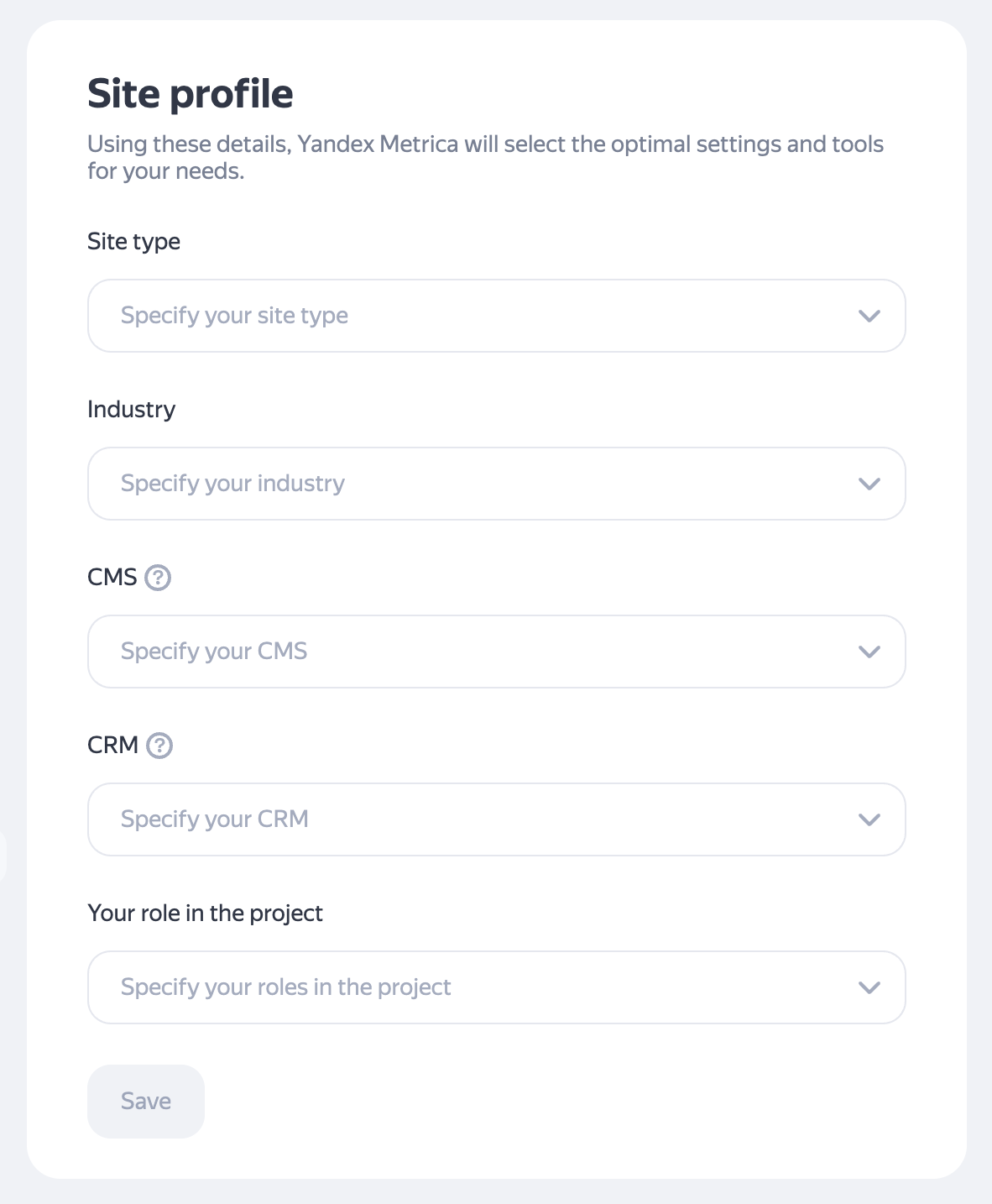
To open this section, go to Settings → Site profile.
What data you can specify
The data you specify is used for interface personalization and to offer you recommendations for configuring analytics tools:
-
Site type: Select a type that best describes your website:
Online store
Website with a catalog, shopping cart, and the payment feature
Promo website
Website with contacts and an application form
Cloud app
Website providing an online service (SaaS): an online bank, email client, CRM system, hosting, and so on
Informational website
Website with text content
Other
Select this option if the types above don't match your website
-
Industry: Specify one or multiple areas of activity for your project.
-
CMS: Select the content management system (CMS) you use, if applicable.
-
CRM: Specify the CRM system your website works with, if any.
-
Your role in the project: Specify your primary role or multiple roles, such as a business owner, marketer, developer, or another role.
Note
You can select multiple roles. In this case, a separate set is saved for each tag.